

Display shield extension
The MakeCode display shield extension allows you to use any of the MakeCode Arcade (display) shields with the MakeCode for the micro:bit or MakeCode for Calliope editors.
Features
- simulator support
- access to the color display and buttons on the shield
- Bitmap abstraction with numerous drawing primitives (draw line, circle, square, etc)
- Bitmaps also can be created using the built-in image editor in MakeCode
Getting Started
- Open https://makecode.microbit.org/
- Create a new project
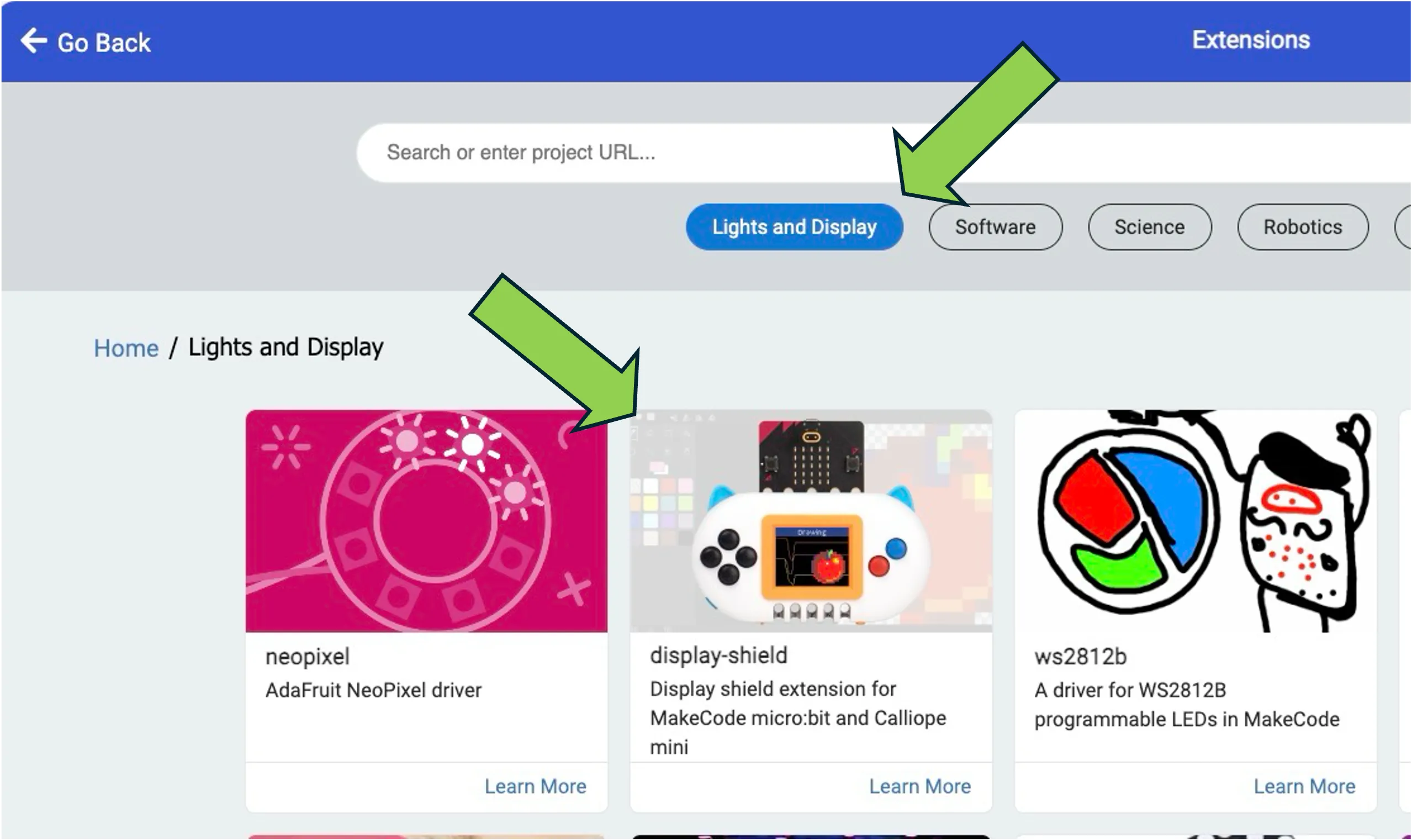
- Add an extension via the “Extensions” item in the gear wheel (upper right)
- Click the “Lights and Display” button, as shown below
- Select the display shield extension, as shown below
Plot the accelerometer values as time series
Copy this program into the JavaScript editor to plot the instantaneous values of the micro:bit’s 3-axis accelerometer on the display shield screen:
let x = 0, old_x = 0let y = 0, old_y = 0let z = 0, old_z = 0let t = 0basic.forever(function () { x = Math.map(input.acceleration(Dimension.X), -1024, 1024, 120, 0) y = Math.map(input.acceleration(Dimension.Y), -1024, 1024, 120, 0) z = Math.map(input.acceleration(Dimension.Z), -1024, 1024, 120, 0) screen().drawLine(t, x, t - 1, old_x, 3) screen().drawLine(t, y, t - 1, old_y, 4) screen().drawLine(t, z, t - 1, old_z, 5) t = t + 1 if (t == 160) { screen().scroll(-1, 0) t = 159 } old_x = x old_y = y old_z = z})